AI That Builds AI Workflows: The Workflow Architect Skill
A meta-workflow that demonstrates limerIQ's revolutionary self-improving capability by using AI to intelligently gather requirements, automatically generate production-ready orchestration workflows, v
The meta-capability that sets limerIQ apart: AI systems that design their own orchestration.
Every AI orchestration platform lets you run workflows. But what if your AI could design them too? What if you could describe what you want to automate in plain English, and have AI create a production-ready workflow complete with proper structure, intelligent model selection, and built-in validation?
This is not science fiction. This is the limeriq-workflow-architect skill.
The Challenge of Manual Workflow Design
Building effective AI orchestration workflows requires understanding multiple concepts: when to use human checkpoints versus automated steps, which AI model fits each task, how to structure multi-branch parallel execution, and how to ensure the workflow will actually execute correctly.
For someone new to limerIQ, this represents a significant learning curve. Even experienced users spend time on structural concerns and boilerplate rather than focusing on the actual automation logic they want to achieve.
What if we could skip all that?
The Workflow Architect: AI That Designs Workflows
The workflow architect skill is a comprehensive knowledge package that transforms any AI assistant into a workflow expert. When you engage with an assistant that has this skill, it gains deep understanding of:
- How to choose the right type of step for different needs
- When to use premium models for complex reasoning versus economical models for simple tasks
- How to structure information flow between steps
- When to add human review points and how to configure them
- How to set up parallel execution for performance
- How to validate that workflows will run correctly
This is not just documentation injection. The skill provides structured decision frameworks, common patterns to follow, anti-patterns to avoid, and complete working examples that the AI can adapt to your specific needs.
How a Workflow-Building Workflow Works
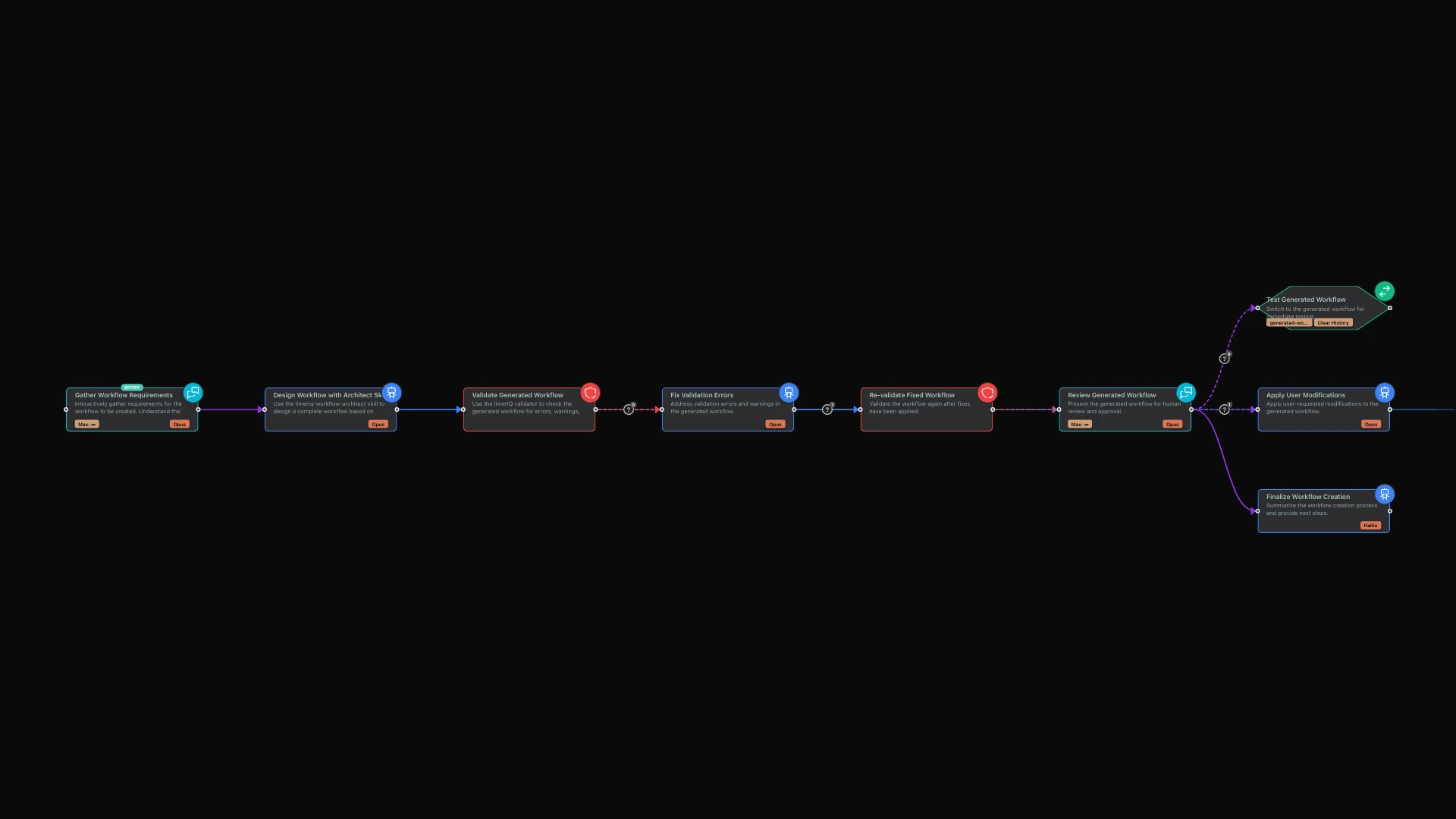
The showcase for this capability is a workflow that creates other workflows. Here is how the experience unfolds:
Phase 1: Conversational Requirements Gathering
The workflow starts by having a conversation with you. Rather than expecting you to know workflow syntax or technical terminology, it meets you where you are: describing what you want in natural language.
The conversation explores key questions:
- What task do you want to automate?
- How complex is this automation -- simple, moderate, or complex?
- Where should humans review or approve before proceeding?
- What inputs does the workflow need, and what outputs should it produce?
- Are there specific AI providers or models you want to use?
This conversational approach means anyone can create workflows, not just technical experts who understand orchestration systems.
Phase 2: Expert Design Generation
Once requirements are gathered, the workflow architect skill takes over. The AI, armed with comprehensive knowledge of workflow patterns and best practices, translates your requirements into a complete, production-ready workflow.
It automatically determines:
- The right structure for your automation needs
- Which AI models to assign to each step based on task complexity
- Where to place human checkpoints for appropriate oversight
- How to connect steps so information flows correctly
- What validation rules will catch problems early
Phase 3: Automatic Validation
Every generated workflow passes through validation before you see it. This catches structural errors, missing connections, undefined references, and best practice violations. The validation happens automatically -- you never receive a workflow that will fail to run due to structural problems.
Phase 4: Self-Correcting Improvement
If validation identifies issues, the workflow does not just stop. It uses the architect skill again to fix the problems automatically. This creates a self-correcting loop: generate, validate, fix, revalidate. The workflow improves itself until it passes all checks.
Phase 5: Human Review and Optional Testing
Finally, you receive the generated workflow for review. At this point you can:
- Examine the workflow structure in the visual editor
- Request modifications or refinements
- Test the workflow immediately on a sample task
- Save the workflow for future use
If you want to test immediately, the system can transition directly into executing the newly created workflow, so you can see how it performs in practice.
Why This Capability Matters
Democratizing Workflow Creation
Not everyone who needs automation is a workflow expert. Product managers, business analysts, and domain experts have valuable knowledge about what should be automated, but may lack the technical skills to express that knowledge as structured workflows.
The workflow architect bridges this gap. Describe your automation need in conversation, and receive a working workflow. The domain expert focuses on the what and why while the AI handles the how.
Accelerating Expert Productivity
Even for experienced limerIQ users, creating workflows from scratch involves repetitive work: setting up the basic structure, remembering syntax details, looking up requirements for different step types.
The workflow architect handles this foundational work. Experts can focus on the unique logic of their automation rather than structural concerns they have addressed hundreds of times before.
Enabling Self-Improving Systems
The meta-capability of AI designing its own orchestration opens doors to genuinely adaptive systems. Consider the possibilities:
- Workflows that analyze their own execution logs and suggest improvements
- Systems that generate specialized sub-workflows for new use cases as they emerge
- Automated workflow testing and optimization based on performance data
- Templates that evolve based on what works best for your team
This is the beginning of AI systems that get better at their own operation over time.
What You Can Build
With the workflow architect skill, you can create:
Team Onboarding Workflows: Describe your team's processes -- how you handle code review, how you onboard new engineers, how you document decisions -- and receive workflows that encode these processes consistently.
Custom Review Pipelines: Specify what should be checked in code reviews -- security concerns, performance implications, documentation requirements -- and receive a multi-reviewer workflow that checks all of them.
Data Processing Automation: Describe transformations your data needs to go through, and receive a workflow with proper error handling and validation at each stage.
Documentation Generators: Specify what output formats you need and what sources to draw from, and receive workflows that produce consistent documentation every time.
The limit is your imagination. If you can describe the automation, the workflow architect can build it.
The Skills System
The workflow architect is built on limerIQ's skills integration system. Skills are reusable knowledge packages that can be incorporated into any workflow step, giving that step specialized expertise.
What makes this particularly powerful is that skills work across different AI providers. The same workflow architect knowledge works whether you are using Claude, GPT, or Gemini. Your investment in describing processes and creating skills is not locked to any single provider.
Skills are discovered automatically from standard locations, and the same workflow can leverage different provider-specific skills depending on which AI model is executing each step.
Getting Started
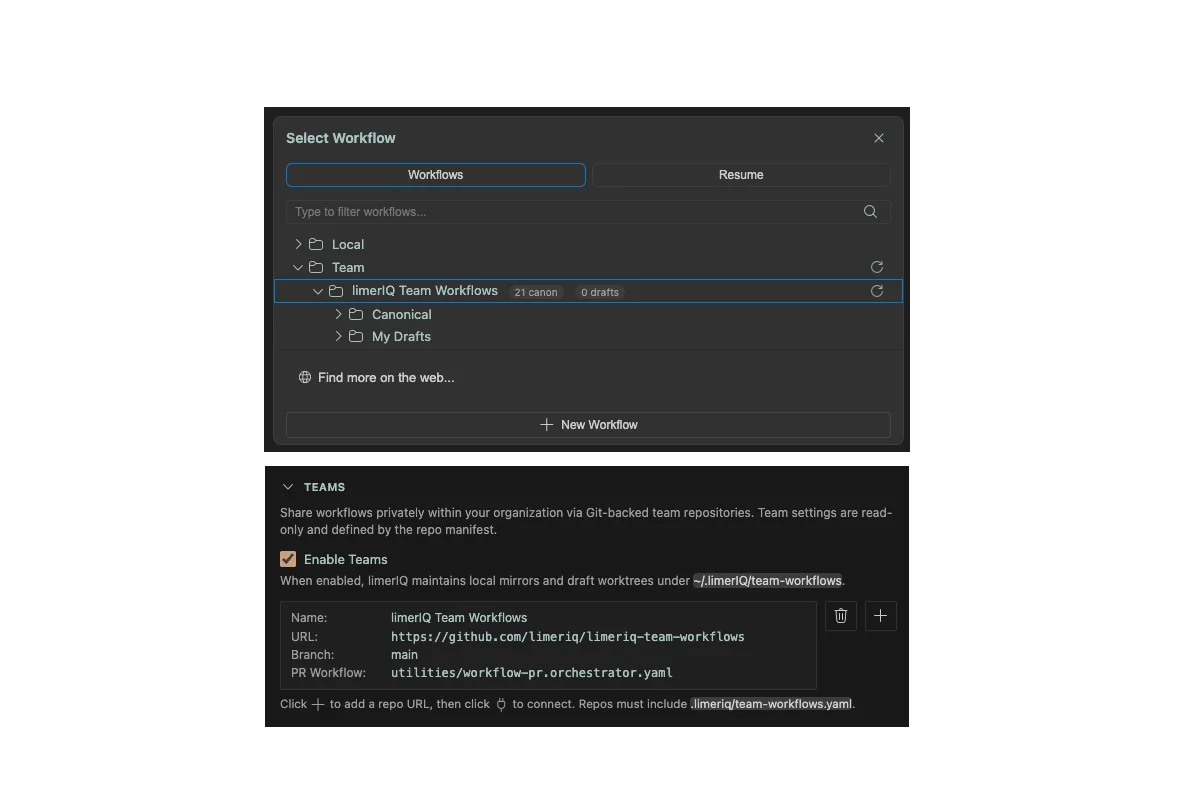
The easiest way to experience the workflow architect is to use the showcase workflow. It will:
- Ask you about the automation you want to create
- Generate a complete workflow based on your requirements
- Validate it automatically and fix any issues
- Present it for your review in the visual editor
- Optionally test it immediately so you can see it in action
You can also examine the workflow visually to understand how a workflow-building workflow is structured, which itself teaches patterns you can apply elsewhere.
Conclusion
The workflow architect skill represents a fundamental shift in how we think about AI orchestration. We are no longer just running pre-built workflows; we are using AI to design the orchestration itself.
This meta-capability creates a positive feedback loop: better workflows lead to better outcomes, which inform better workflow designs, which lead to even better outcomes. AI systems that can improve their own operation are a step toward genuine autonomy.
limerIQ is not just an orchestration platform. It is a platform where AI builds AI.
Ready to try it? Use the visual editor to explore the showcase workflow, then run it to create your first AI-designed workflow.
Next in this series: See Your Workflow Think: The Visual Editor and Subway Map - Learn how limerIQ makes complex workflows visible and understandable.